AI calorie scanner: what a photograph can and cannot tell you
Most of what you eat has no barcode. An AI calorie scanner fills that gap by estimating a meal from a photograph — and understanding how it arrives at a number is the difference between using it well and trusting it blindly.
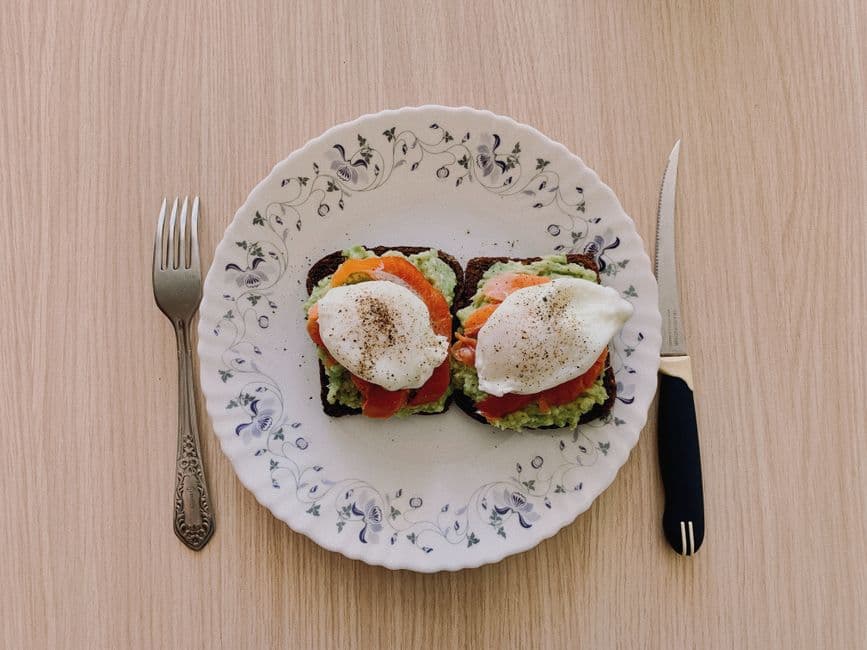
How it works
A vision model looks at your photograph and does something more specific than "recognise food". It works through four questions in order:
- What foods are present? Not just "pasta" but "spaghetti with a tomato-based sauce and grated hard cheese".
- How was each one prepared? Grilled, fried, roasted, dressed or breaded. This changes the calorie figure more than almost anything else on the plate.
- How much of each is there? Estimated in grams, using the plate, the cutlery and the vessel as a scale reference.
- What are the macros for that weight? Derived from the portion, not guessed independently.
That third step is the one that matters, and it is why our scanner shows you the portion weight it assumed rather than hiding it. A calorie figure with no stated portion behind it cannot be corrected — you have no idea whether the model thought your bowl held 150 g of rice or 400 g. With the weight visible, a wrong estimate becomes a five-second fix instead of a reason to distrust the whole result.
How accurate is it, honestly
For a clearly photographed meal of recognisable foods, expect estimates within roughly 15–25% of the true figure. That is good enough to be genuinely useful over a week and not good enough to matter over a single meal — which is exactly how calorie tracking works anyway.
It compares better than people expect to the alternative. Studies of self-reported food intake consistently find people under-report by 20–40%, and the error is not random: it is systematically larger for snacks, for larger portions and for foods the person feels ambivalent about. An AI estimate is wrong in both directions. A human estimate is wrong in one.
The four things it reliably gets wrong
These are not occasional glitches. They are structural, they will not be fixed by a better model, and knowing them is most of what you need to use the tool well.
Cooking fat you cannot see
A chicken breast pan-fried in two tablespoons of oil looks almost identical to a grilled one. The oil is roughly 240 calories that are physically present in the food and completely invisible in the photograph. This is the single largest source of underestimation, and no amount of image quality solves it. If you cooked it in fat, say so — the scanner accepts a note alongside the photo and will use it.
Anything hidden underneath
A photograph is one viewpoint. Rice beneath a curry, a second slice of bread, the butter already melted into a baked potato — if the camera cannot see it, the model cannot count it. Photograph before you combine things where you can.
Dense versus airy foods that look the same
A croissant and a bread roll occupy similar space and differ by around 40% in calories, because one is laminated with butter. The same applies to dressed versus undressed salad, full-fat versus reduced-fat dairy, and anything where the visible difference is small and the caloric difference is not.
Liquids in opaque containers
A mug tells you nothing about what is in it. Coffee is 2 calories; the same mug of latte is 120. Where a drink matters, scan the bottle's barcode instead — that path is exact.
Getting a better estimate
Shoot from about 45 degrees, not directly overhead. A top-down photo flattens everything and removes the depth cues the model uses to judge volume. An angled shot shows how high the food is piled.
Get a known object in frame. A fork, a standard dinner plate, a can. Scale is the hardest thing to infer from an image and the easiest thing for you to supply.
Photograph before you start eating. Obvious, and the most common mistake.
Add a note for what the picture cannot show. "Fried in butter", "the bowl is a large one", "there is rice underneath". One short sentence is worth more than a better camera.
Separate the plate where you can. Items that overlap are estimated less well than items that do not.
When to use the barcode scanner instead
If the food has a barcode, use it. The calorie barcode scanner reads the manufacturer's own declared panel, which is regulated, specific to that product, and not an estimate at all. Photo scanning exists for the food that has no label — a home-cooked dinner, a restaurant plate, a canteen tray, a piece of fruit.
The two together cover almost everything. Scan the packet when there is one, photograph the plate when there is not, and accept that both are estimates with different error bars.
What it is not for
Do not use a photo estimate for anything with a clinical consequence. Insulin dosing needs carbohydrate counting from labels and weights, not from a picture. Managing a diagnosed condition needs a dietitian. Allergen avoidance needs the physical label, every time — an AI model reading a photograph is not a safe allergen source and never will be.
Within those limits, it is the fastest honest answer available for a plate of food. Try it on your next meal.
Try it yourself
Your first scan is free. No card needed.
Frequently asked questions
How accurate is an AI calorie scanner?
Can an AI calorie scanner tell if food was fried?
Is the AI calorie scanner free?
Do I need to download an app to scan food with AI?
What happens to my food photos?
Keep reading
More calorie scanner guides
Calorie scanner app
What it does, and why it needs no install.
Read →Calorie barcode scanner
Point at a label, read the panel back.
Read →Food scanner for calories
Packaged, fresh and restaurant food.
Read →Nutrition facts scanner
The whole panel, not just the number.
Read →Free calorie scanner app
What costs nothing, and what does not.
Read →Calorie scanner online
Scan in a browser, no download.
Read →Free counter with barcode scanner
Counting without the subscription.
Read →kcal scanner
Metric labels, kJ and kcal together.
Read →Calorie counter with scanner
Scan, log, and watch the day add up.
Read →Calorie tracker with scanner
A diary that fills itself in.
Read →Food tracker with scanner
Meals, days and weekly patterns.
Read →Macro tracker with scanner
Protein, carbs and fat, not just kcal.
Read →Calorie calculator scanner
Portions, recipes and per-100g maths.
Read →Best apps with a barcode scanner
Eight scanners, honestly compared.
Read →MyFitnessPal barcode scanner
What went behind the paywall, and when.
Read →FatSecret barcode scanner
Free, ad-supported, and how it scans.
Read →Lifesum barcode scanner
Design-led tracking and its limits.
Read →MyNetDiary barcode scanner
The database-first alternative.
Read →Scan your first food in about ten seconds
Point the camera at a barcode, or photograph a plate that does not have one.
Scan a food free